


CryptoTab Farm PRO
3.8802.00 Reviews
App Specs
- Version
- 2.4359.0
- Updated On
- License
- Free
- Downloads
- 1,000,000+
- Developer
- CT Technologies
- Categories
- Finance
- Platform
- Android, iOS
Screenshots

 Analysis by AppCompare
I’d approach CryptoTab Farm PRO as a crypto-themed experiment, not as a dependable way to earn money. Its appeal is easy to understand: it presents the idea of organizing a mining farm through an app, which sounds far more approachable than buying and maintaining dedicated equipment. But before committing time, devices, or money, it helps to separate the app’s inviting concept from what a user can reasonably expect financially.
What the cost does—and doesn’t—tell you
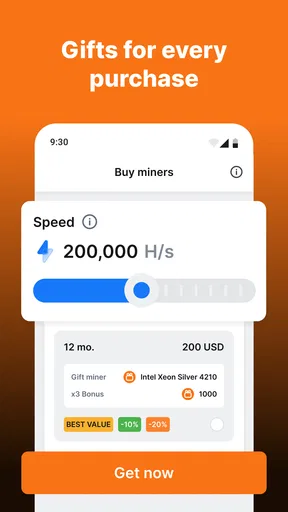
The app is free to install, and its in-app purchases range from $0.99 to $998.99 per item. That makes trying the basic experience relatively low-friction, but it does not make paid purchases automatically worthwhile. I would treat the free entry point as a chance to learn how the app works, not as proof that spending will produce a return.
In particular, I would not use a purchase price as a shortcut for estimating future earnings. Crypto returns can depend on changing market conditions and on the way the app’s system operates; a purchase should be judged on what it clearly offers you, rather than on an assumed payback. If you cannot explain what an item changes and why you want that change, I’d hold off.
The app is published by CT Systems and sits in the finance category. It is rated for Everyone, has a 4.1 average from around 16,000 ratings, and has passed one million installs. Those details suggest that it has attracted a sizeable audience, but popularity is not a guarantee of profit or a substitute for checking whether its approach suits you.
Getting Started with CryptoTab Farm PRO
First things first, let's talk about the setup process. Installing CryptoTab Farm PRO was a breeze. Available for both Android and iOS, I found it in the app store and had it up and running in no time. The user interface is sleek and intuitive, making it easy even for a newbie like me to navigate. Once you’re in, the app guides you through creating your farm and linking your devices.
One of the coolest features is the ability to connect multiple devices. You can link your phone, tablet, and even old laptops to work as a collective mining farm. This means you can mine crypto from anywhere, anytime, without needing any special hardware. It’s like having a mini data center in your pocket!
Exploring the Features
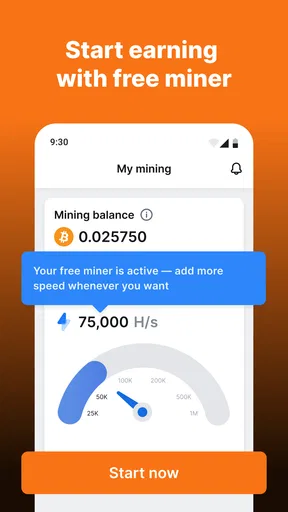
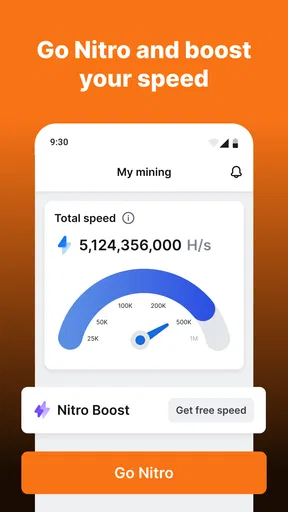
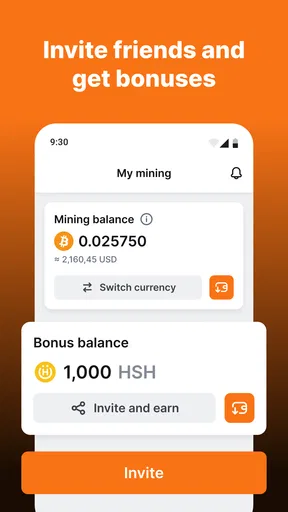
Now, let's dig into what makes this app stand out. First off, the dashboard. It's your command center, allowing you to monitor all your connected devices in one place. You can see real-time stats, such as hash rate and earnings, which I found super handy for keeping track of my mining progress.
Worth Reading Before You Choose

EA SPORTS FC Mobile 26 Is a Bigger Football Game, but It Takes Time

Flipboard Shows What News Apps Must Do Beyond the Feed

Switching to Android Auto Means Rethinking Your Driving Routine

Google Calendar Makes a Crowded Week Easier to Manage

Ludo King Makes the Most of the Minutes Between Plans

Baby Panda World Brings Quick Play to Modern Phones, but Its Game Library Feels Busy
The app also offers a smart algorithm that automatically switches to mining the most profitable cryptocurrency at any given time. This means you don’t have to constantly monitor market trends to maximize your earnings. Pretty neat, right?
Another feature worth mentioning is the energy-saving mode. Mining can be resource-intensive, but this app allows you to adjust settings to use less power, which is great for extending battery life on mobile devices.
What to watch while you build a farm
Connecting several devices sounds like an obvious way to expand, but I’d start with just one. That gives you a baseline for how the app behaves on your own hardware before you add another device or spend anything. If the phone gets warm, drains faster than you’re comfortable with, or becomes inconvenient for everyday use, adding more devices may simply multiply the hassle rather than make the setup more useful.
A practical routine is to check the dashboard at a consistent time instead of leaving it open throughout the day. Compare the displayed activity with how the device feels in ordinary use, and note whether the energy-saving setting makes the experience more tolerable. Those observations won’t tell you the future value of crypto, but they can help answer the immediate question: is this worth running on this particular device?
There’s also a trade-off between convenience and control. Automatic switching may save you from following every market move, but it means you are relying on the app’s own selection process rather than making each choice yourself. If you enjoy researching individual assets and deciding exactly where your activity goes, a more hands-on crypto tool may be a better fit. If your main aim is to explore the farm concept without constant manual decisions, automation is more appealing.
Security and Support
When it comes to handling digital assets, security is a top priority. I appreciated the app's emphasis on security with two-factor authentication and encrypted data transfer. Knowing that my data and earnings were safe gave me peace of mind.
In case you run into any issues, the app offers a comprehensive support section. There’s a detailed FAQ, and if that doesn’t cut it, their support team is just a click away. I reached out with a query and got a prompt response, which was reassuring.
Where it fits among crypto apps
CryptoTab Farm PRO is aimed at people who want a farm-style dashboard and the idea of coordinating connected devices. That is a different starting point from a typical crypto exchange, where the central activity is buying, selling, or tracking assets, or from a portfolio app focused on balances and price changes. Those alternatives are usually a clearer choice if you want direct control over transactions or simply want to watch a portfolio without running a mining-style setup.
For a newcomer, the farm format can make the subject feel more tangible: you can think about devices, settings, and activity rather than starting with a complicated trading screen. The downside is that the familiar language of earnings can encourage unrealistic expectations. I’d use the dashboard as a way to observe the app’s process, not as a promise that a small collection of everyday gadgets will become a meaningful income source.
One everyday scenario makes the distinction clear. Suppose you have an older phone that mostly stays at home and you’re curious about crypto. You could try the free app on that device, check whether it remains usable, and review the dashboard during a short daily check-in. If you need your current phone for work, travel, or a full day away from a charger, I would not make it the test device just because adding it sounds convenient.
Another useful check is to decide in advance what would make you stop. For example, you might stop if the app interferes with normal use, if monitoring it becomes a chore, or if you feel tempted to buy something mainly because you hope it will quickly pay for itself. Setting that boundary before you begin can keep curiosity from turning into an open-ended spending decision.
Security, compatibility, and practical expectations
The app launched on February 3, 2023, and its current version is 2.0.3499. It requires Android 7.0 or later, which is helpful if you are deciding whether an older Android device can run it. The age rating is Everyone, but that rating is about suitability of content; it should not be mistaken for a signal that crypto-related financial decisions are risk-free.
Security tools are useful, but they do not remove the need for careful account habits. I’d enable the available two-factor authentication, protect access to the device itself, and avoid treating a dashboard display as the same thing as money already available for spending. Before connecting devices, I’d also make sure I understand which account or credentials I’m using and keep them private. These are sensible precautions for any app dealing with digital assets, not a reason to assume that every possible risk has disappeared.
People often want to know whether they need specialist hardware, whether the app can be left running all day, and whether earnings are guaranteed. The farm idea is designed around connected devices rather than a requirement to buy dedicated equipment, but that does not mean every device is a good candidate for continuous use. Battery wear, heat, availability, and personal comfort all matter. And no earnings display should be treated as a guarantee of a particular outcome.
Who is likely to get value
I can see this working best for a curious beginner who wants to explore a farm-style crypto app, has a spare device, and is comfortable treating the experience as an experiment. It may also suit someone who likes monitoring a central dashboard and wants an accessible way to learn how connected devices are presented as one operation.
I’d skip it if your main goal is predictable income, if you need a phone to remain cool and available all day, or if you are looking for a straightforward way to buy and hold crypto. Someone who wants to compare asset prices or manage a portfolio may be better served by an exchange or portfolio tracker; someone seeking reliable returns should not rely on a mining app as a substitute for a clear financial plan.
There is a learning benefit, but it has limits. Watching activity change as you adjust settings can prompt useful questions about device capacity and crypto economics. It does not, by itself, teach you how to evaluate a coin, assess a project, or judge whether a purchase is sensible. I’d pair any exploration with independent learning rather than treating the app’s automation as financial advice.
My Personal Take
After spending some time with CryptoTab Farm PRO, I can say it’s a solid choice for anyone interested in crypto mining. The ability to connect multiple devices and the smart mining technology make it efficient and user-friendly. Plus, the potential to earn passive income from your everyday gadgets is a huge win.
Of course, like any mining app, your earnings will depend on various factors such as device capabilities and market conditions. But if you’re looking for a way to get involved in the crypto scene without investing in expensive equipment, this app is definitely worth checking out.
So, if you’re curious about crypto mining or want to expand your mining operation, give CryptoTab Farm PRO a try. Who knows, it might just be your next favorite app!
My buy-or-skip verdict
My recommendation is to try the free version only if you’re interested in exploring the app’s farm approach and have a device you can comfortably set aside. Use a small trial period to judge usability, battery impact, and whether the dashboard is genuinely helpful to you. I would not buy an in-app item until its purpose is clear and you can justify the expense without counting on future earnings to recover it.
The current version is 2.0.3499, and the app’s presence in the finance category makes its money-related framing part of the experience. That framing deserves a cautious mindset: ease of setup and an appealing interface can make the process feel more certain than crypto outcomes really are. For me, the strongest reason to install it is curiosity about managing a connected farm, not a promise of passive income. If that distinction matches what you want, it may be worth a careful look; if you need predictable returns or simple portfolio management, I’d choose a different kind of finance app.
Pros
- Easy setup and user-friendly interface.
- Efficient mining performance.
- Low energy consumption.
- Supports multiple devices.
- Regular updates and improvements.
Cons
- Requires constant internet connection.
- Limited customer support options.
- Subscription-based pricing model.
- May drain device battery quickly.
- Not available on all platforms.
FAQs for CryptoTab Farm PRO
What is CryptoTab Farm PRO?
CryptoTab Farm PRO is a specialized app designed to help users efficiently mine cryptocurrency using their Android or iOS devices. It offers advanced features for managing multiple mining operations, tracking performance, and optimizing energy consumption. Users can easily monitor their mining farm's productivity and profitability from a user-friendly interface.
How does CryptoTab Farm PRO work?
CryptoTab Farm PRO utilizes your device's processing power to mine cryptocurrencies. The app connects to the CryptoTab network, where it contributes computational power in exchange for cryptocurrency rewards. It allows users to manage mining settings, monitor hash rates, and maximize efficiency through smart algorithms.
Is CryptoTab Farm PRO safe to use?
Yes, CryptoTab Farm PRO is designed with user security in mind. It employs encryption protocols to protect user data and ensures safe transactions. However, users should be aware of potential risks, such as device overheating or battery drain, and take necessary precautions to maintain device health.
What are the system requirements for CryptoTab Farm PRO?
CryptoTab Farm PRO requires a device with at least Android 5.0 or iOS 12.0 to run smoothly. It is recommended to have a device with a stable internet connection and sufficient processing power to ensure optimal mining performance. Regular updates also help in maintaining compatibility and security.
Can I use CryptoTab Farm PRO on multiple devices?
Yes, CryptoTab Farm PRO supports multi-device usage, allowing you to connect and manage multiple devices from a single account. This feature lets you expand your mining capabilities and monitor all your devices’ performance from one centralized dashboard, thus maximizing efficiency and earnings.


